


Hub  Ask about this on WhatsApp

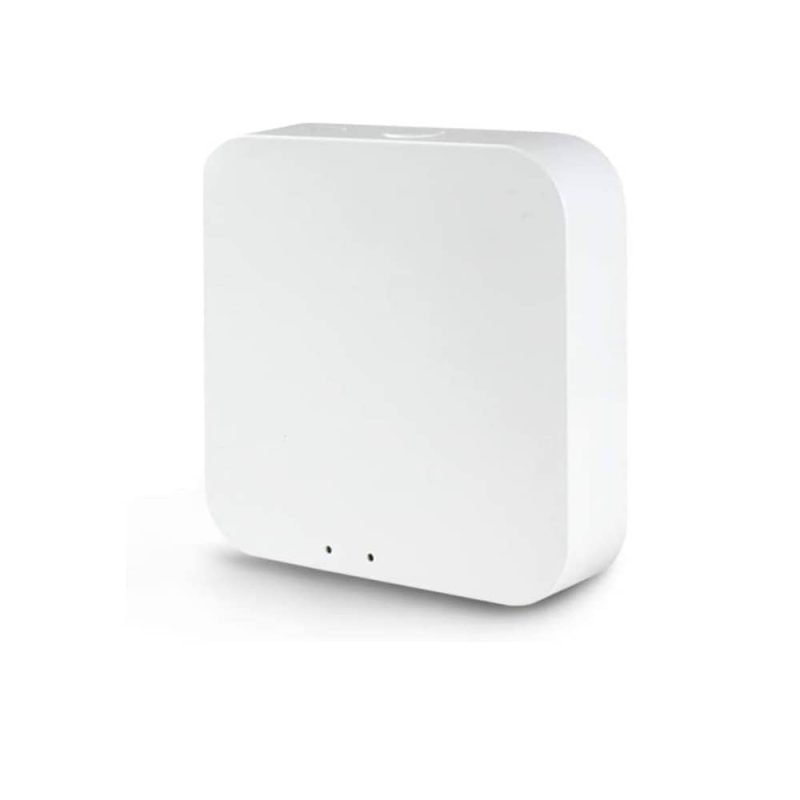
Tuya Bluetooth Hub Wifi Smart Home Bridge
Product code 0322
Sh 75,000.00
In stock in Dar es Salaam
In stock
- Genuine stock. Sourced from authorised distributors, warranty intact.
- Delivered across Tanzania with additional delivery charges.
- Multiple payment options.
Payment Options
- Cash on Delivery. You can pay cash at our store on pickup, or pay the rider upon delivery (Dar es Salaam only).
- Pay by Lipa Number
- M-Pesa

- Mixx by Yas

- Airtel Money

- Halopesa

- Selcom

- M-Pesa
- Pay by Card
- Visa

- Mastercard

- American Express

- Discover

- UnionPay

- Visa
- Pay by Apple Pay or Google Pay
- Apple Pay

- Google Pay

- Apple Pay
Bluetooth to Wi-Fi
Remote access for BLE locks
Tuya
And Smart Life
BLE mesh
Group control supported
Works offline
Local Bluetooth keeps going
Plug in
No wiring
About this product
The Tuya Bluetooth hub is the small white box that turns a Bluetooth lock into one you can use from anywhere. It plugs in, joins your Wi-Fi, and everything Bluetooth in range starts appearing in the Tuya or Smart Life app whether you are in the house or not.
- What the hub actually adds
- Which of our locks need one
- Where to put a Tuya Bluetooth hub
- What happens when the internet drops
- Do you actually need one
Most of the cheaper smart locks talk Bluetooth, not Wi-Fi. On their own they are perfectly good locks: finger, code, card, key. What they cannot do is let you send a code to a guest while you are at work, or tell you the door opened at eleven at night. That is what this adds.
The locks in our range that need it are the S604L rose handles, the fingerprint cylinder, the keypad cylinder, the padlocks and the key box. It is not only for locks: any Tuya Bluetooth or Bluetooth mesh device in range comes through it.
Setup is the usual Tuya routine and takes a few minutes. Once it is running, it keeps working over Bluetooth locally even if the internet is down, so a broadband outage does not lock you out of your own devices. Range is the thing to plan for: put it as near the door as a socket allows, because Bluetooth does not go far through walls.
What the hub actually adds
Most of the cheaper smart locks talk Bluetooth rather than Wi-Fi. On their own they are perfectly good locks: finger, code, card, key, all working at the door. What they cannot do is let you send a code to a guest while you are at work, or tell you that the door opened at eleven at night.
That is the job of a Tuya Bluetooth hub. It plugs in, joins your Wi-Fi, and everything Bluetooth in range starts appearing in the Tuya or Smart Life app whether you are in the house or not.
Which of our locks need one
The S604L rose handles, the fingerprint cylinder, the keypad cylinder, both padlocks and the key box are the ones that need a Tuya Bluetooth hub for remote access. Each of those pages says so on it.
It is not only for locks. Any Tuya Bluetooth or Bluetooth mesh device in range comes through it, including sensors and mesh lighting groups, so one hub often covers several things you were going to buy separately.
Where to put a Tuya Bluetooth hub
Range is the thing to plan for. Bluetooth does not travel far through walls, so put the hub as near the door as a socket allows rather than in a cupboard at the other end of the house. If the lock is on a gate, the nearest indoor socket to that gate is the right one.
What happens when the internet drops
Once it is running it keeps working over Bluetooth locally even if the internet is down, so a broadband outage does not lock you out of your own devices. You lose the remote side until the line comes back, not the local one.
Setup is the usual Tuya routine: plug it in, add it in the app, and it takes a few minutes. It carries Wi-Fi on 2.4 GHz plus Bluetooth and Bluetooth mesh, and works with the voice assistants and integrations Tuya supports.
Do you actually need one
Ask before you add it to the basket. If every smart device you own is Wi-Fi, you do not. This exists for the Bluetooth ones: the S604L handles, both cylinders, both padlocks and the key box. Their pages each say so.
Put it in the socket nearest the door rather than in a cupboard down the hall, because Bluetooth does not travel well through walls. Local control keeps working if your line drops, so an outage costs you the remote features and nothing else. See the locks that need it, and Tuya document the platform at tuya.com.
Uses the Tuya and Smart Life apps
 Tuya
Tuya- Smart Life
Description supplied by the manufacturer.
Specifications
| Type | Tuya Bluetooth to Wi-Fi gateway |
|---|---|
| Radios | Wi-Fi 2.4 GHz, Bluetooth and Bluetooth mesh |
| App | Tuya or Smart Life |
| What it does | Brings Bluetooth devices onto the internet for remote control, alerts and access records |
| Local control | Bluetooth and Bluetooth mesh keep working without internet |
| Group control | Bluetooth mesh groups supported |
| Third party | Works with the voice assistants and integrations Tuya supports |
| Setup | Plug in and add in the app |
| Placement | Within Bluetooth range of the devices it serves |
| Product code | 0322 |
| Category | Hub |
| Availability | In stock in Dar es Salaam |
What’s in the box
- ✓Bluetooth hub
- ✓USB power lead
Questions
Do I need this?
Only if your device is a Bluetooth one and you want to reach it from outside the house. Our Wi-Fi locks, the mortise and rim locks, connect to your router on their own and do not need it. The Bluetooth ones, the rose handles, the cylinders, the padlocks and the key box, do.
Where should I put it?
In a socket as close to the door as you can manage. Bluetooth does not travel far through concrete or through more than a wall or two, so a hub at the far end of the house may see the lock intermittently or not at all. If the door is a long way from any socket, tell us and we will talk through it before you buy.
How many devices can it carry?
It is a hub for Tuya Bluetooth and Bluetooth mesh devices generally, not just locks, and it handles a household's worth. If you are planning something larger than one home, tell us the number of devices and we will check it for you.
What happens when the internet goes down?
Bluetooth and Bluetooth mesh control carry on locally, so your devices still respond. What you lose is the part that needs the internet: remote access and notifications, until the connection comes back.
Which app is it?
Tuya or Smart Life. They are the same platform with two names, so use whichever you already have your other devices in.
Anything else? Ask us on WhatsApp and we will tell you straight.
From the same shelf
All Hub →You might also want


