
 Out of stock
Smart Plug 

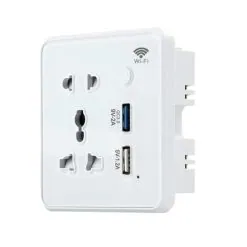
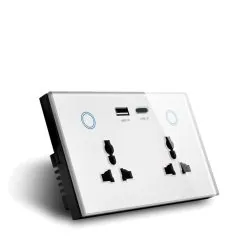
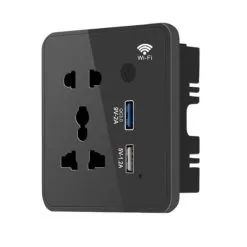
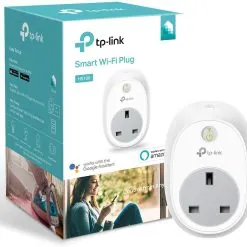
WiFi Smart Plug
Product code 0094
Sh 40,000.00
Out of stock right now
We are out of this one at the moment. Message us and we will tell you what the lead time is, or what else does the same job.
Ask us when it is back See what else is in stock- Genuine stock. Sourced from authorised distributors, warranty intact.
- Delivered across Tanzania with additional delivery charges.
- Multiple payment options.
Payment Options
- Cash on Delivery. You can pay cash at our store on pickup, or pay the rider upon delivery (Dar es Salaam only).
- Pay by Lipa Number
- M-Pesa

- Mixx by Yas

- Airtel Money

- Halopesa

- Selcom

- M-Pesa
- Pay by Card
- Visa

- Mastercard

- American Express

- Discover

- UnionPay

- Visa
- Pay by Apple Pay or Google Pay
- Apple Pay

- Google Pay

- Apple Pay
13 A
2990 W maximum
No hub
Straight onto your Wi-Fi
Mini
Leaves the next socket free
Shutter
Safe around children
Countdown
Off in forty minutes
About this product
A WiFi smart plug is the cheapest way to put something on your phone. It goes into a socket, joins your Wi-Fi, and whatever is plugged into it switches from anywhere, on a schedule, or by voice.
- What people actually use a WiFi smart plug for
- Countdown is the underrated one
- A mini body, which matters on a double socket
- The safety shutter
- Ratings, app and one figure we will check
What people actually use a WiFi smart plug for
A WiFi smart plug sells on the idea of switching a lamp from the sofa. What people actually keep using it for is duller and worth more.
A water pump on a timer. A geyser point that must not be left on all day. A security lamp that comes on at dusk. An iron somebody always forgets. In a house where power is expensive and the supply is not always kind, a plug that cuts a load on a schedule pays for itself in a way a lamp switch never does.
Countdown is the underrated one
Everybody finds the schedule. Fewer people find the countdown, which is the more useful feature day to day.
Switch something on and tell it to go off in forty minutes. A geyser before a shower. A fan in a child's room. A charger you do not want running all night. It is a single tap and it removes the need to remember anything.
A mini body, which matters on a double socket
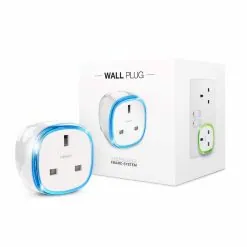
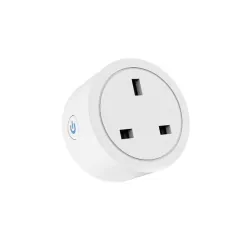
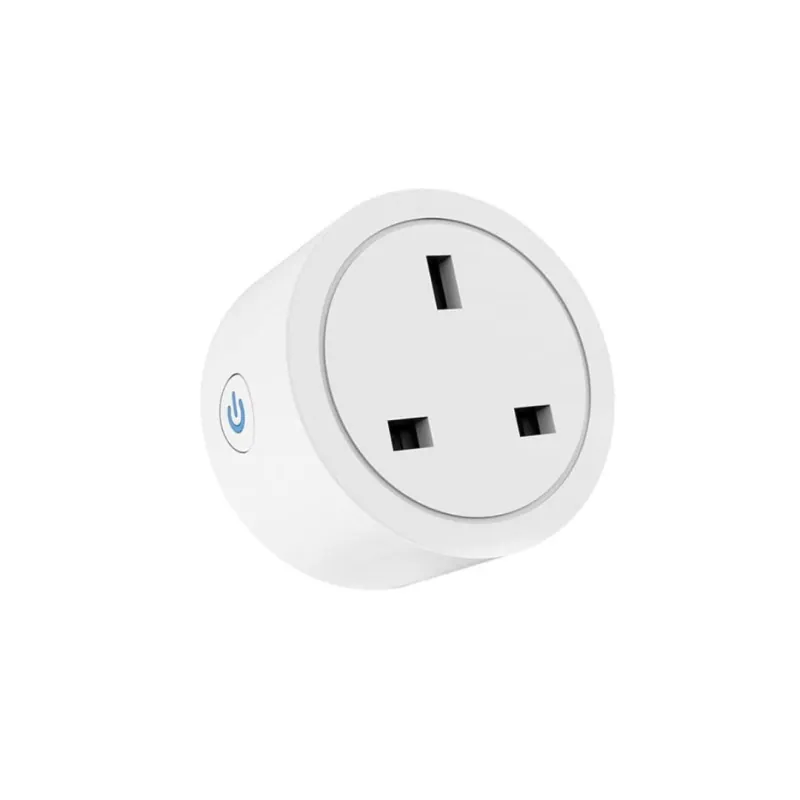
It is round and shallow rather than the fat rectangular shape most smart plugs use.
On a double socket that is the difference between using both outlets and covering one. If you are putting two of these side by side, or one beside an existing charger, the size is worth as much as any feature on the list.
The safety shutter
The socket face has a sliding safety shutter over the pin holes.
That is worth having anywhere there are small children, and it is a detail cheaper plugs leave out. It also keeps dust out of an outlet that is not in use, which in Dar is not a small thing.
Ratings, app and one figure we will check
Rated 13A, 2990W on 230V. It runs the Tuya or Smart Life app with no hub and no subscription, so it sits in the same app as most of the rest of this shop and can be put into scenes with your bulbs, curtains and switches. Alexa, Google Assistant and IFTTT all work. Wi-Fi is 2.4GHz only.
Energy monitoring is not published for this model. We are not going to claim it. Ask us and we will check the unit in stock; if metering is the point of the purchase, the Aeotec Smart Switch 6 measures properly, though it needs a Z-Wave controller. The Smart Life app is on Google Play.
Uses the Tuya and Smart Life apps
 Tuya
Tuya- Smart Life
Description supplied by the manufacturer.
Specifications
| Model | SP27 |
|---|---|
| Type | Plug-in Wi-Fi switch |
| Socket | Type G, UK 13 A |
| App | Tuya or Smart Life |
| Hub | Not needed |
| Maximum load | 13 A, 2990 W |
| Rated voltage | 230 V, 50/60 Hz |
| Wi-Fi | 2.4 GHz only |
| Voice control | Amazon Alexa, Google Assistant, IFTTT |
| Scheduling | Timers, schedules, countdown and away routines |
| Safety | Sliding shutter over the socket |
| Sharing | Control can be shared with other people in the household |
| Energy monitoring | Not published for this model. Ask us and we will check the unit in stock. |
| Product code | 0094 |
| Category | Smart Plug |
| Availability | Out of stock - ask us for the lead time |
What’s in the box
Not yet defined.
We are still collecting box contents from the manufacturers. Ask us on WhatsApp and we will open one on the shelf and tell you exactly what is inside.
Questions
Do I need a hub?
No. It joins your Wi-Fi directly. Install the Tuya or Smart Life app and it pairs in a couple of minutes.
Why will it not pair?
Almost always the Wi-Fi band. This plug uses 2.4 GHz only, and if the phone you are pairing from is on the 5 GHz side of the network the setup just fails. Put the phone on the 2.4 GHz network and try again. If the router publishes both under one name, tell us and we will walk you through it.
What happens after a power cut?
It reconnects to your Wi-Fi on its own once the router is back. Whether the socket comes back on or stays off is set in the app, and it is worth setting deliberately for anything that must not restart by itself.
Can somebody else in the house control it?
Yes. The app shares a device or a whole home with other accounts, so it does not all have to live on one phone.
What can I plug into it?
Anything up to 13 A or 2990 W. Lamps, fans, televisions, chargers, a pump, a small heater. Not a geyser or a cooker, which are wired in rather than plugged in.
Anything else? Ask us on WhatsApp and we will tell you straight.
From the same shelf
All Smart Plug →You might also want